SWOOP
This is a free digital SWOOP score sheet and score keeper — no signup, automatic totals, and share via QR so everyone scores from their own phone. SWOOP score sheet: enter leftover card counts each round (5, 10, or 50 points) for 3–12 players. Running totals, lowest score wins.
Game setup
Min 3, Max 12
SWOOP® is a registered trademark of Mukanāna Games. ScorecardGO is an independent score tracker and isn't affiliated with or endorsed by Mukanāna Games.
Shop SWOOP products
SWOOP® products by Mukanāna Games
Affiliate links • As an Amazon Associate we earn from qualifying purchases.
Key Features of SWOOP scorecard
- Track 3 to 12 players, including a Purple Expansion table.
- Enter leftover card counts instead of doing the point math yourself.
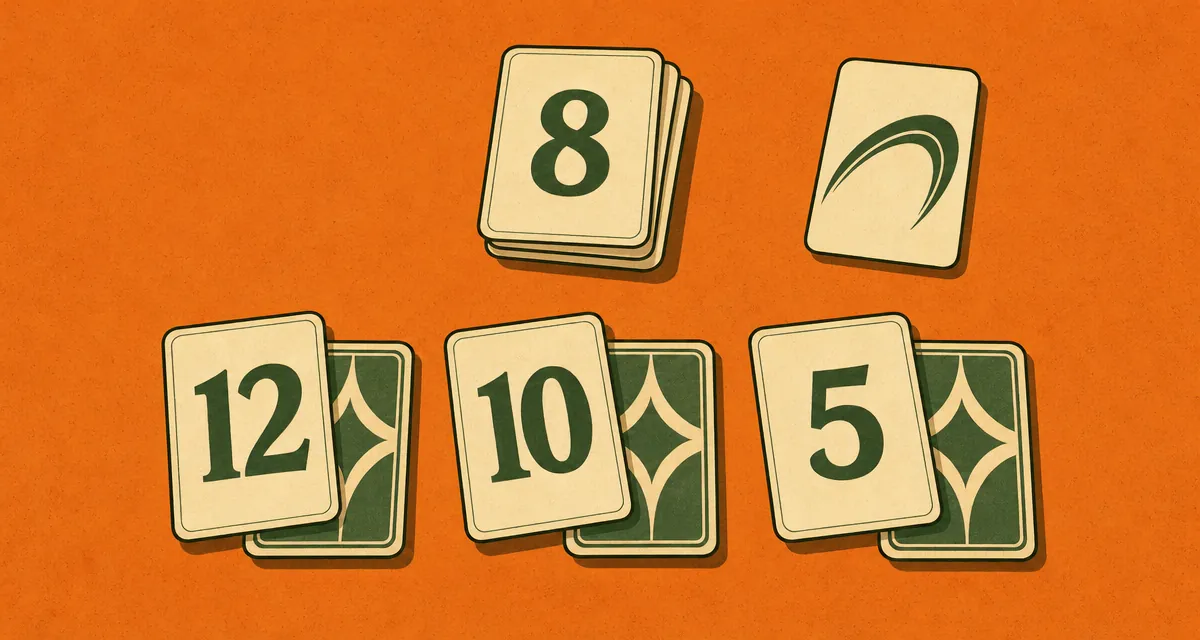
- Automatic round scores: 5 points for 1–9, 10 for 10–12, 50 for a SWOOP card.
- Running totals, with the lowest score in the lead after each round.
- Real-time leaderboard with current leader highlighting.
- Mobile-optimized interface for on-the-go scoring.
- No registration required - start playing immediately.
- SWOOP scoring app that works offline and syncs when back online.
How to Play SWOOP
- On your turn, play one or more matching cards equal to or lower than the center pile. If you cannot, take the pile.
- Four or more matching cards in a row, or a single SWOOP card, clears the center pile and that player continues.
- The round ends when one player has no cards left in hand, on the board, or in mystery cards. That player scores 0.
- Everyone else scores the cards they have left: 1–9 are 5 points each, 10–12 are 10, and each SWOOP card is 50.
- Add each round to the running total. Stop after one round per player, or when someone reaches the score you set. The lowest total wins.
Tips & Strategy for playing SWOOP
- Play high cards early. They are harder to get rid of later in the round.
- A SWOOP card left in hand is 50 points — use it to clear the pile when you can.
- Agree before the first deal whether you will stop once around the table or at a target score.
Frequently asked questions about SWOOP
What do I enter on the SWOOP scorecard each round?
Count the cards each player still holds. Cards 1–9, cards 10–12, and SWOOP cards go in separate boxes. Enter 0 in every box for the player who went out. The sheet scores those counts as 5, 10, and 50 points and keeps a running total.
How many players can SWOOP track?
The base game is 3 to 8 players. The Purple Expansion brings the same table up to 12. This scorecard covers that full range.
When does SWOOP end, and who wins?
Play one round per player — once around the table — or keep going until someone reaches a score you agreed first. A common target is 350 to 500 with 3–5 players, and 250 to 350 with six or more. The lowest running total wins. A tie shares the win.
How does this SWOOP scorecard work?
Enter scores in the rows for each hand, hole, or round — the scorecard updates running totals and highlights the leader automatically. You can add players, rename them, and keep the sheet open for the whole session. No account is required: open the page and start tracking points. Totals are calculated for you so you can focus on the game.
Can I use ScorecardGO to score SWOOP on mobile?
Yes. ScorecardGO is built for phones and tablets: large tap targets, readable tables, and layouts that fit narrow screens. You can score SWOOP wherever you're playing, including at a table or outdoors. The same scorecard also works on a desktop if you prefer a larger screen.
Does this SWOOP scorecard work offline?
Once this SWOOP scorecard page is loaded, you can keep entering scores without an internet connection. Your scores stay in the browser on your device, so a dropped connection does not wipe a local game. If you have shared the scorecard so others can follow along, those live updates need a connection and catch up when you are back online. Bookmark the page if you want to reopen the same sheet later.
Is this SWOOP scorecard free?
Yes. ScorecardGO is free to use in the browser with no account required. Open the SWOOP scorecard and start tracking points right away. There is no signup wall and no paid plan required to keep score.
Can I share this SWOOP scorecard with a QR code?
Yes. Open Share on the scorecard and show the QR code so everyone playing can follow the SWOOP score on their own phone. You choose whether guests can enter scores or only watch, and you can change that during the game. People who cannot scan can type the six-character code at scorecardgo.com/join. Sharing is optional; if you never tap Share, the scorecard stays on your device.
Is ScorecardGO affiliated with the makers of SWOOP?
SWOOP® is a registered trademark of Mukanāna Games. ScorecardGO is an independent score tracker and isn't affiliated with or endorsed by Mukanāna Games.